iameasytouse is a promise made in its own name: that someone who has never held a tablet — older, low-vision, or simply never given the chance — can go from a blank, dark screen all the way to sitting face-to-face with their doctor, with no one in the room to do it for them. The hard part was never the medicine. It's the dozen small, unspoken steps before it: turning the thing on, learning what a tap is, trusting that they can't break it. We teach those steps offline-first, in plain language, one gentle lesson at a time, so the only thing that ever needs a signal is the visit itself. If we get it right, technology stops being a wall between people and their care — and "easy to use" stops being a slogan and becomes literally true for the people who were left on the other side of it.
Who runs it
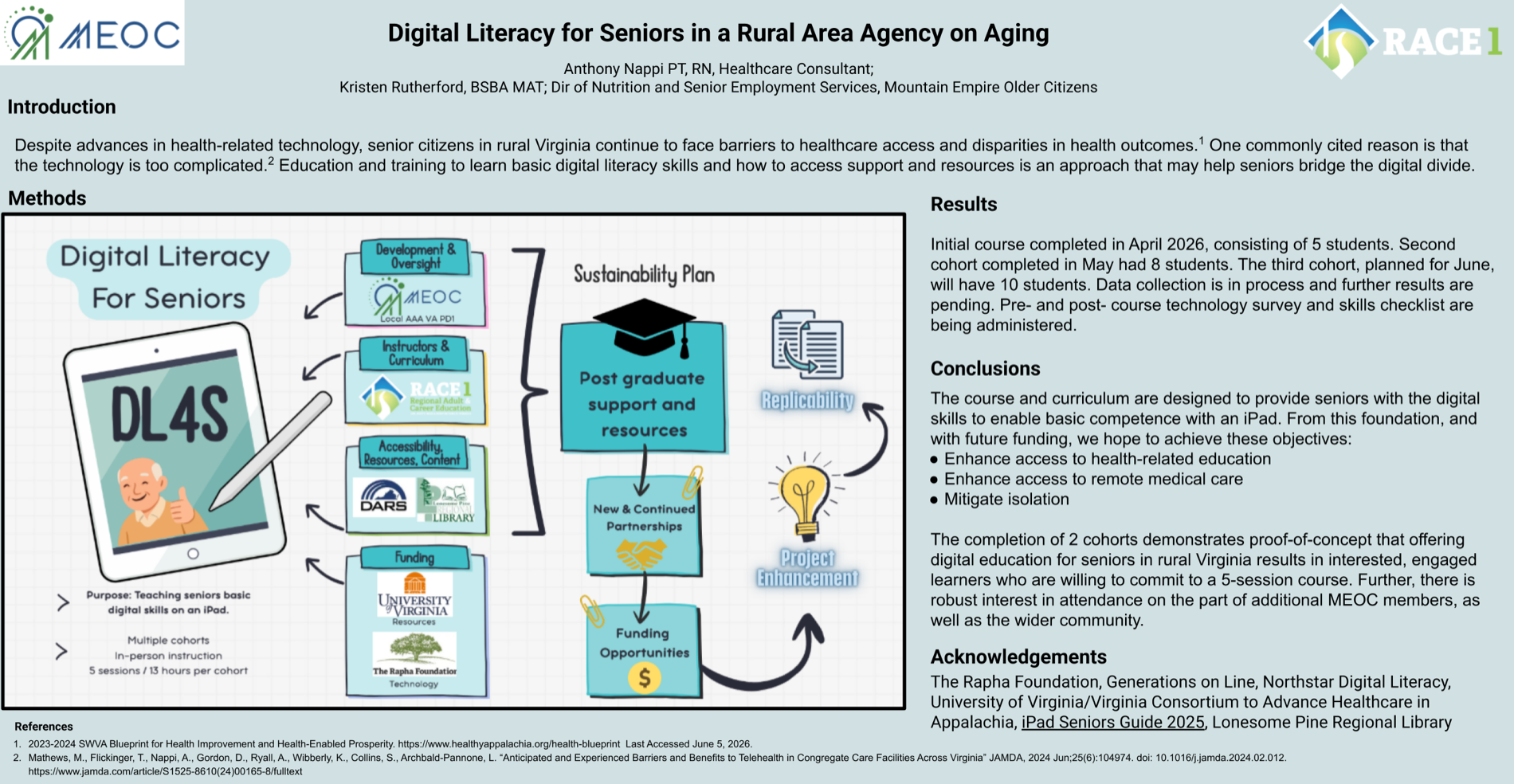
Mountain Empire Older Citizens (MEOC), an Area Agency on Aging, with RACE1 for curriculum & classroom instruction.
Where
Lenowisco Health District — rural Southwest Virginia, Appalachia.
The kit
80 iPads funded by the Rapha Foundation; home satellite broadband via UVA's Consortium to Advance Healthcare in Appalachia.
The course
5 sessions — four 3-hour classes in person, then a 1-hour remote Zoom session from home once each student has their iPad.
Cohorts
5 → 8 → 10 students and counting, running until all 80 iPads are placed.
The point
Health-info access, remote medical care (telehealth), and less isolation for seniors left offline.
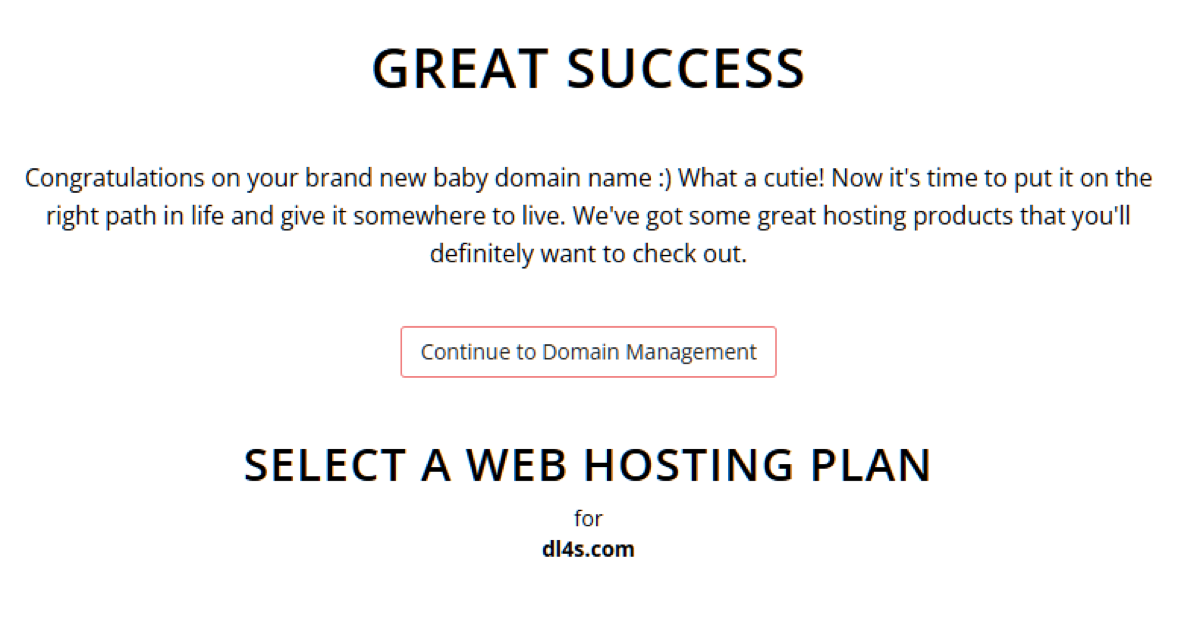
// "DL4S" is already printed on their iPad mockup and across the decks — the domain matches the brand they hand out in class. Next: add it to Vercel, then a DL4S landing (poster + curriculum) or a holding redirect to start.
// Pulled from Brian's zip. Curriculum + all four session decks are ingested below. Three image-only files (MATRC poster, App JIGGLE, WiFi/Zoom handout) are indexed but have no extractable text — share them as images and I'll bring those in too.
Session 1 — The Basics
- A portable touchscreen tablet
- Protective cover that doubles as a stand
- The power button
- Lock screen · swipe up · passcode
- Home screen — the iPad's "home base"
- Orientation: portrait & landscape
- Generations on Line — The Basics module
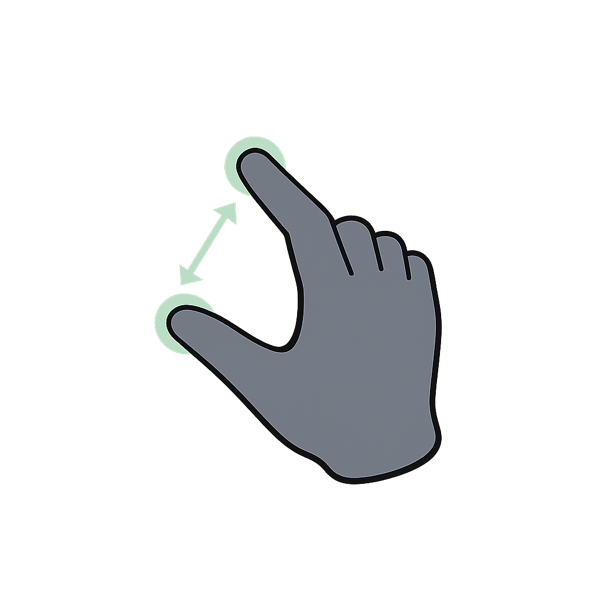
- Fingers: shrink/enlarge · scroll
- Buttons & ports · keypad & typing (caps, numbers)
- Using voice · close apps · turn off
Session 2 — The Web, Safety, Settings & Siri
- Northstar video: "Finding Information Online"
- Browsers — Chrome (default) & Safari
- Search the web · read & scroll results
- New / close tabs · "too many tabs"
- Bookmarks: add & open
- Back · forward · refresh
- Enhanced Browsing Protection
- Display & brightness · Bluetooth · Wi-Fi
- Accessibility · set up Siri
Session 3 — Connect
- Open · add a contact · save · quick options
- Open · read · compose · send · reply
- Send / receive / reply (iMessage vs Android note)
- FaceTime video calls · the in-call toolbar
Session 4 — Photos, Apps, Wi-Fi & Zoom
- Camera (timer, flash, selfie, video) · view/share/edit
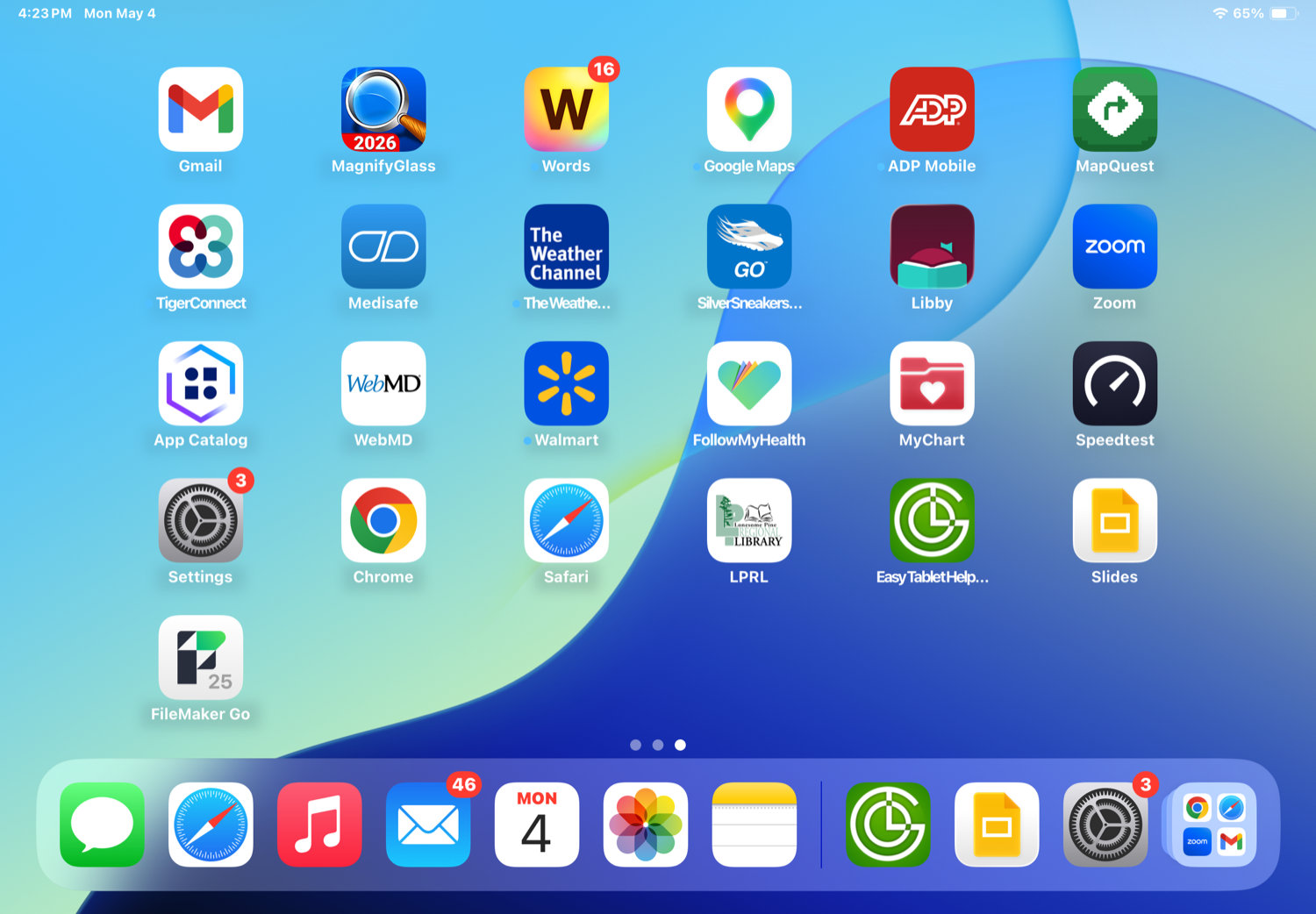
- App Store: install apps — MyChart, FollowMyHealth, Food City, Library, Be My Eyes, Medisafe…
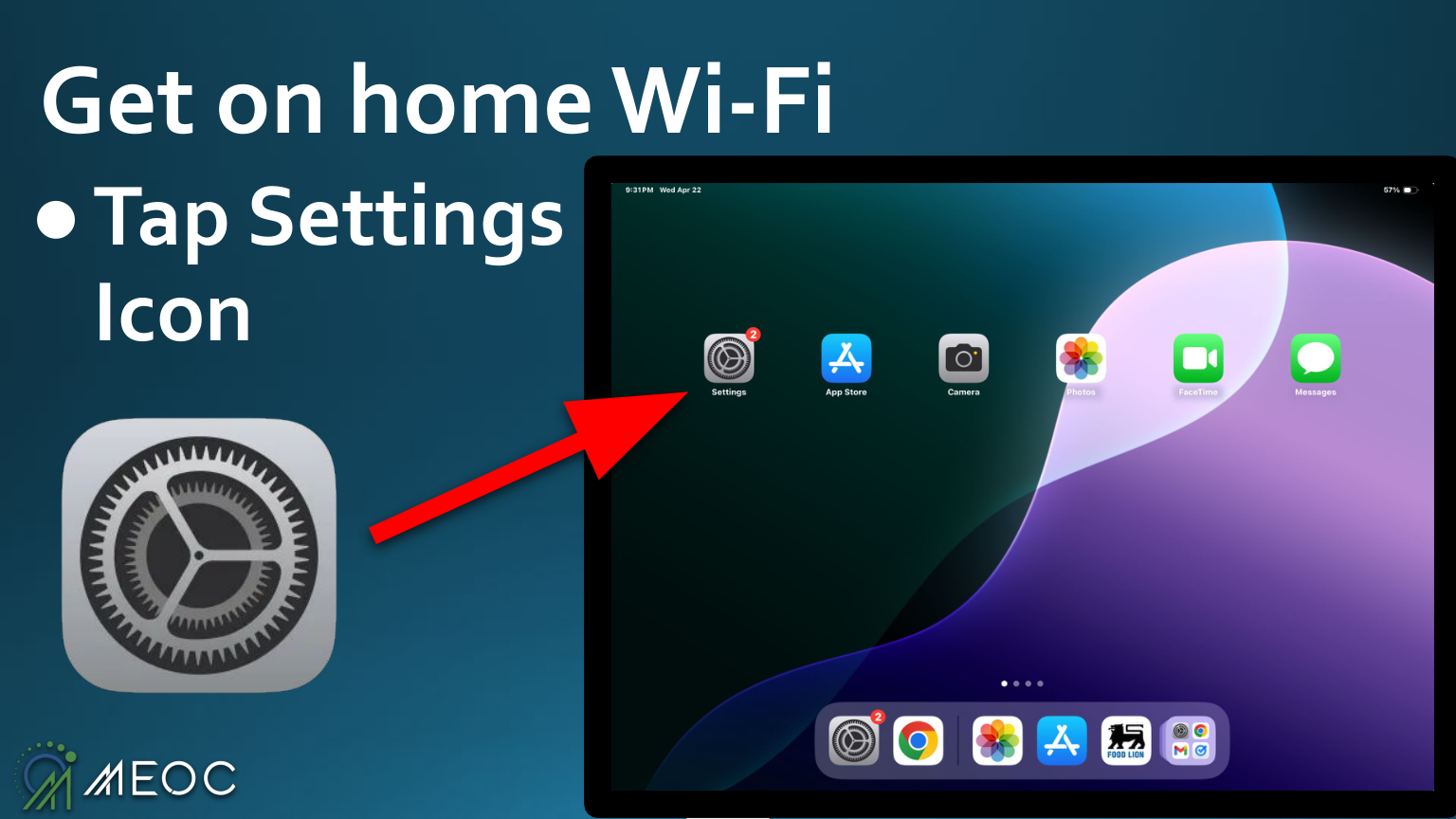
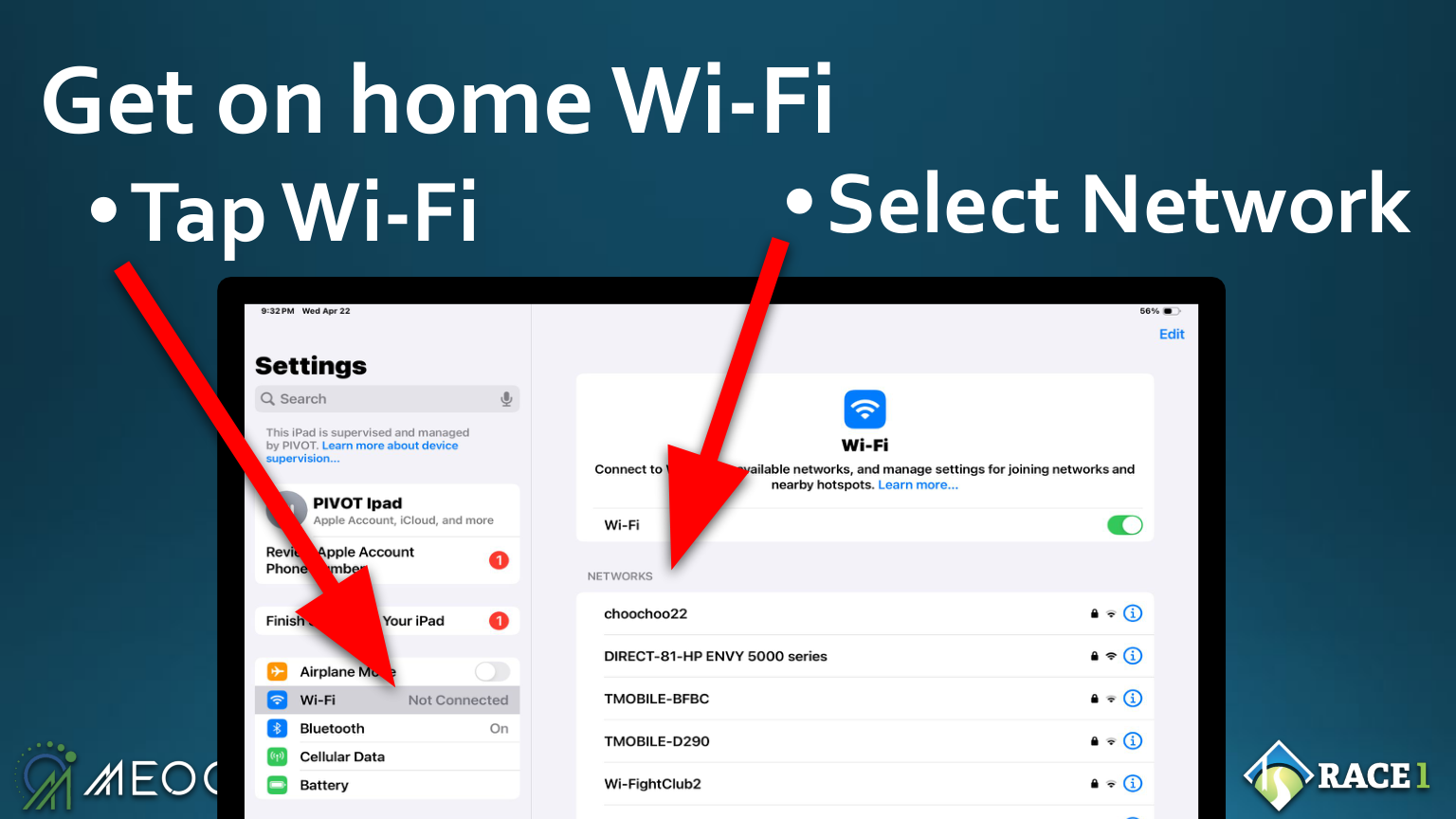
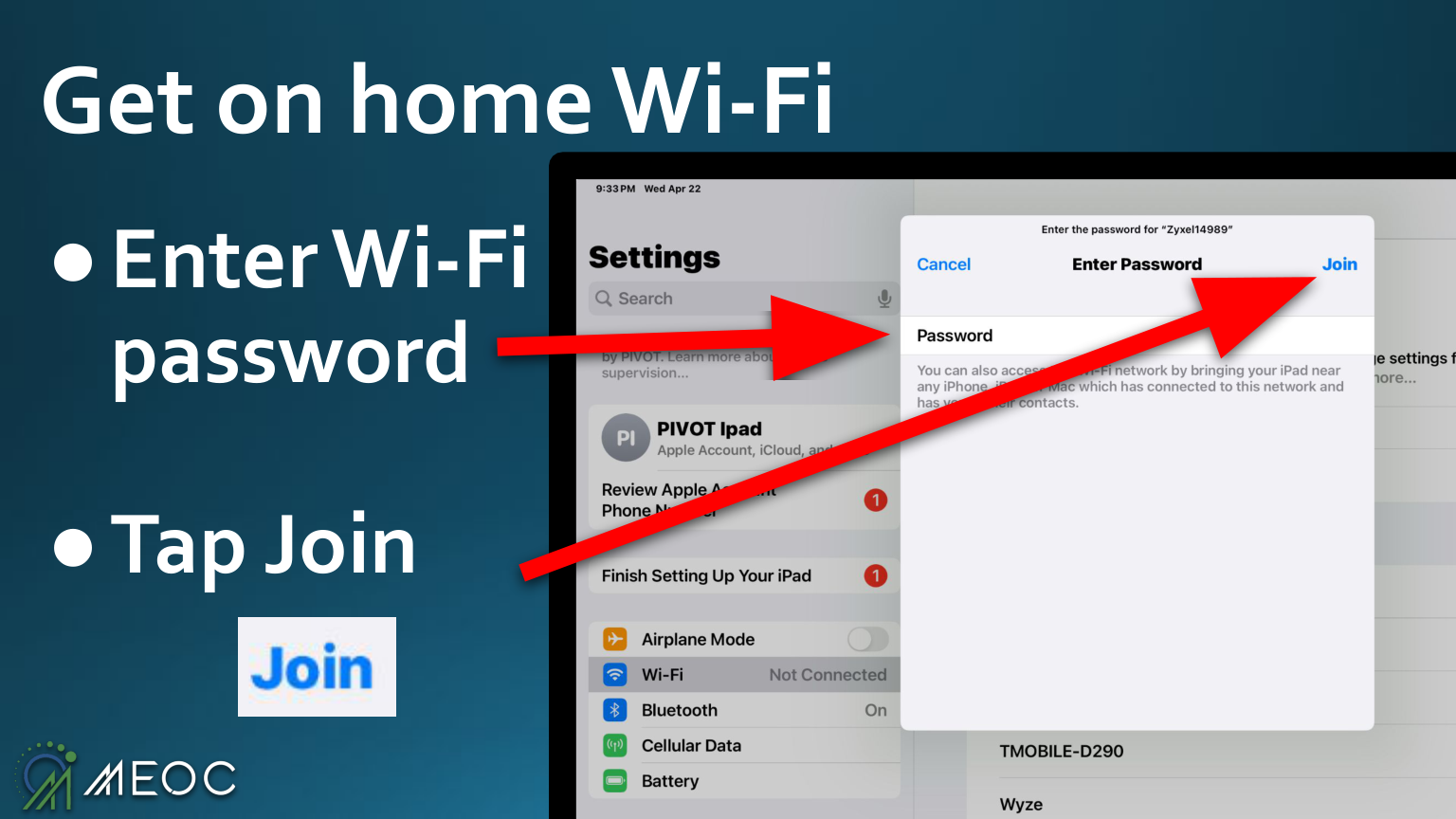
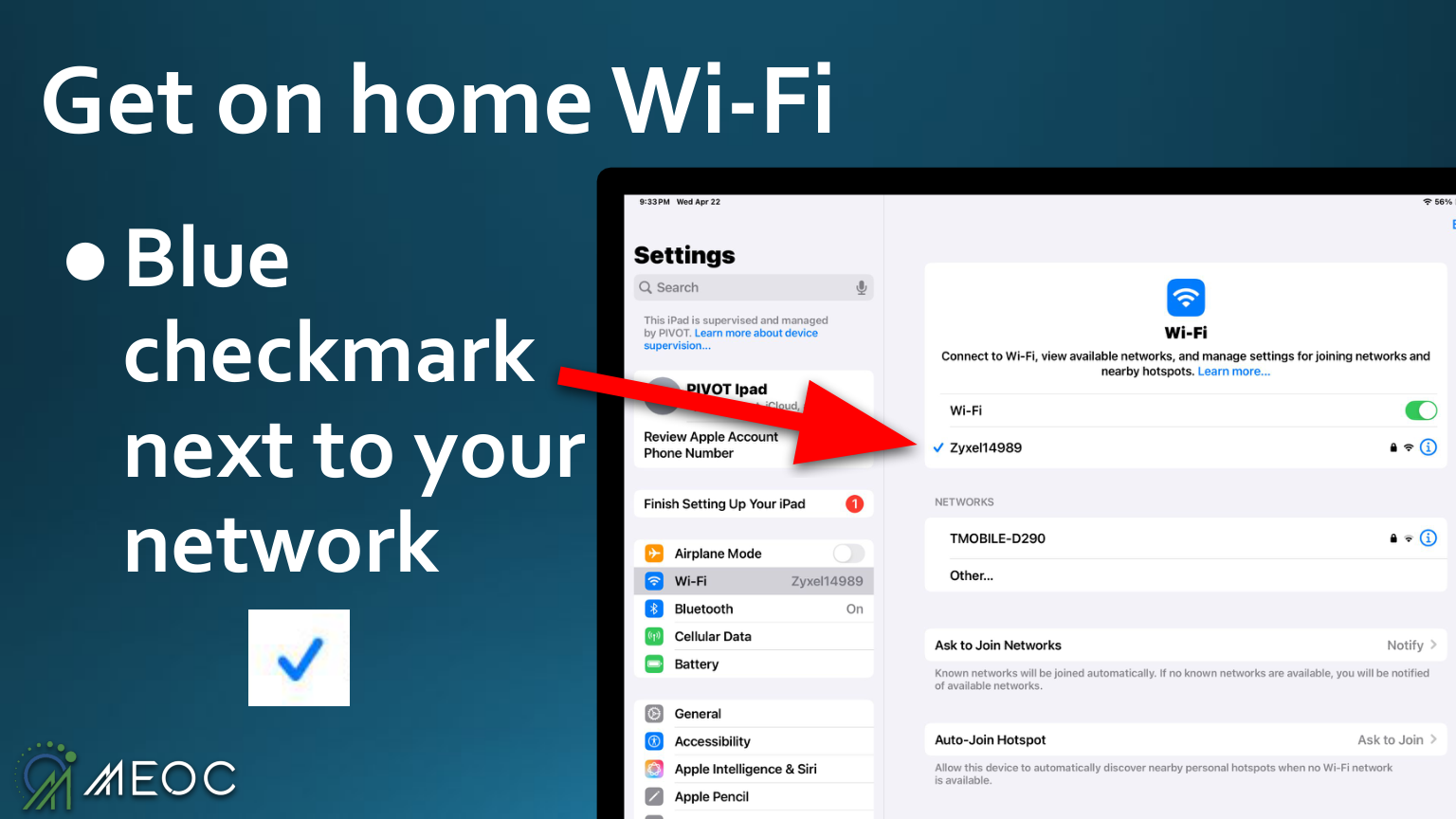
- Join home Wi-Fi
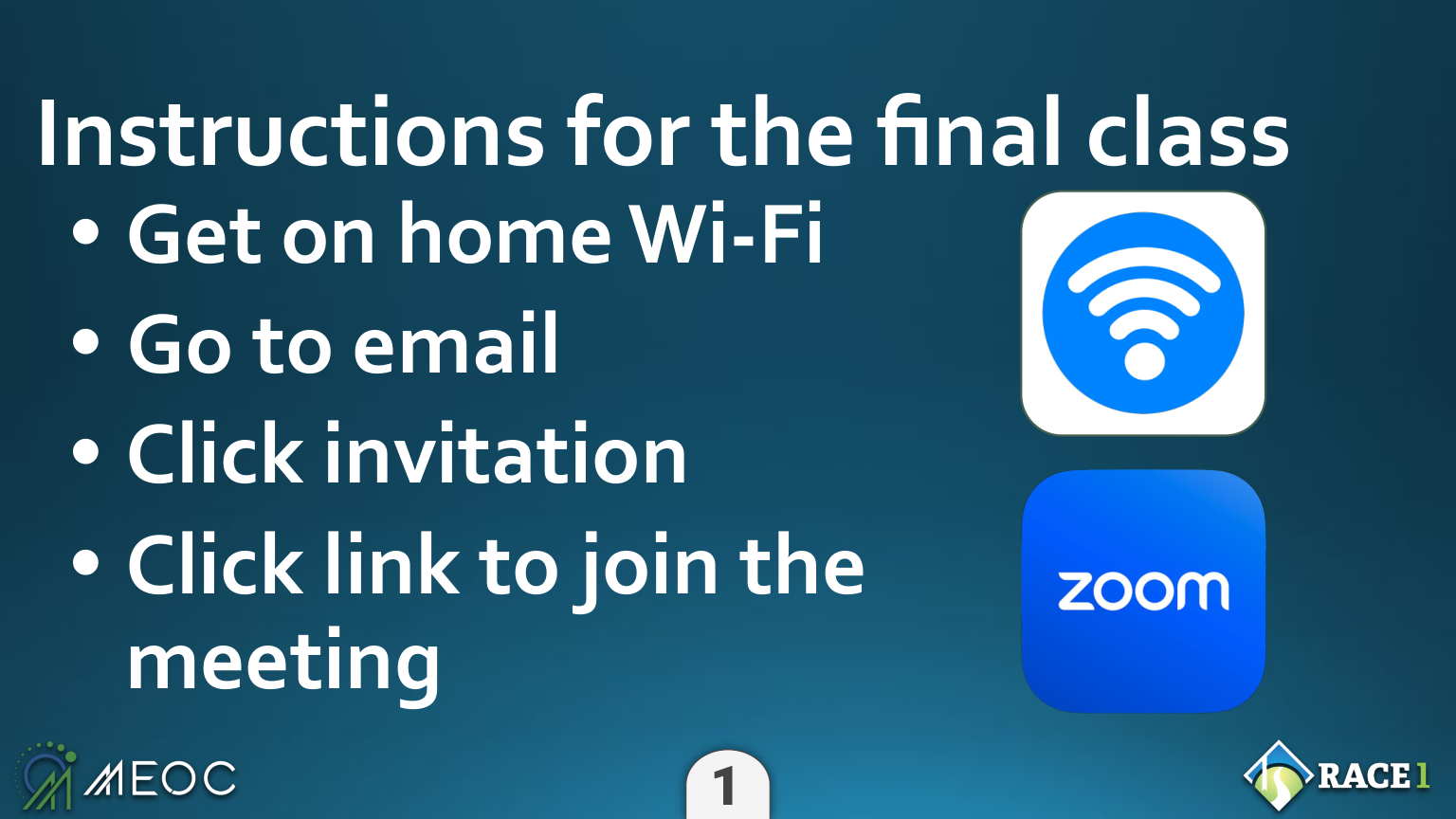
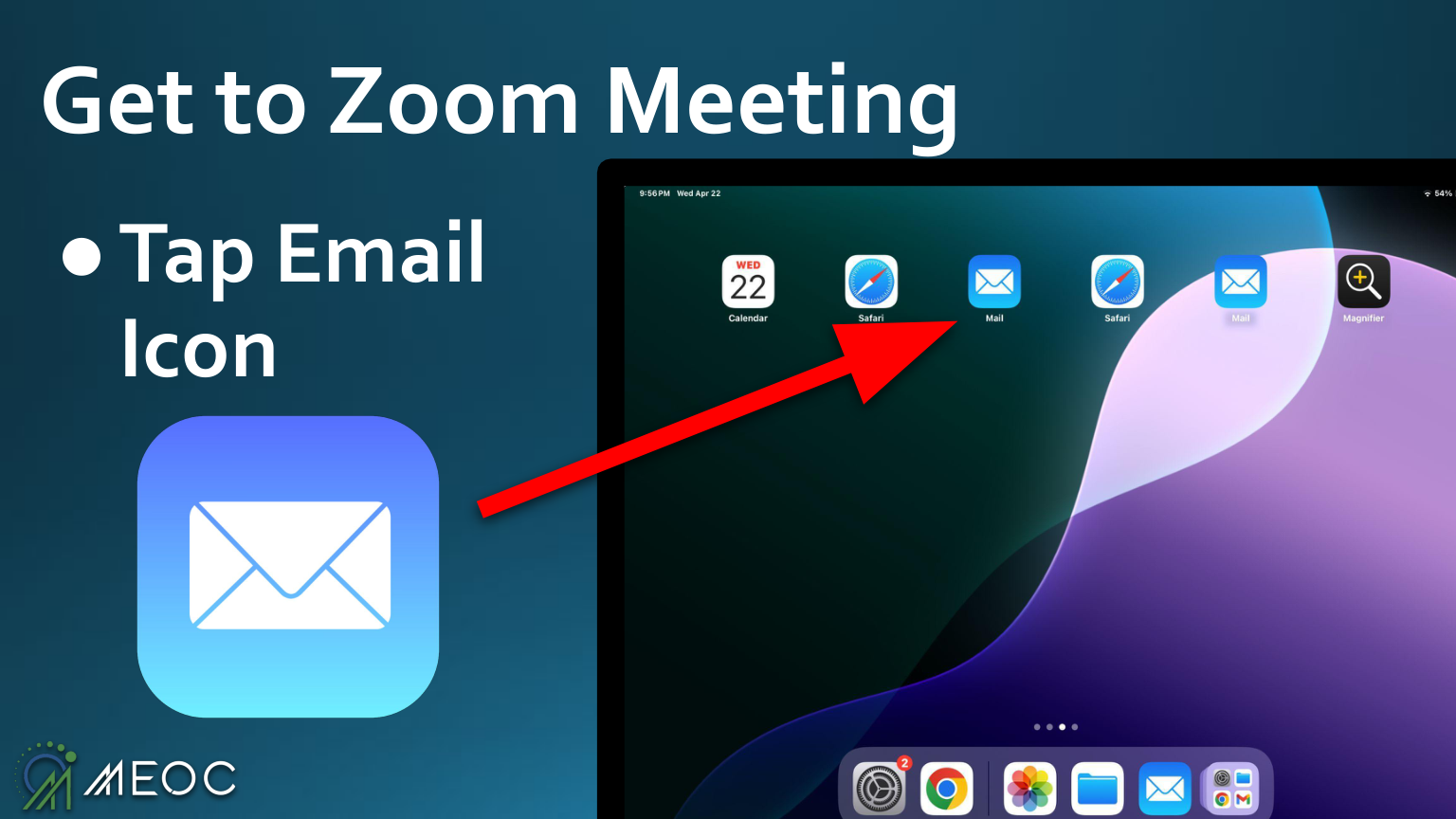
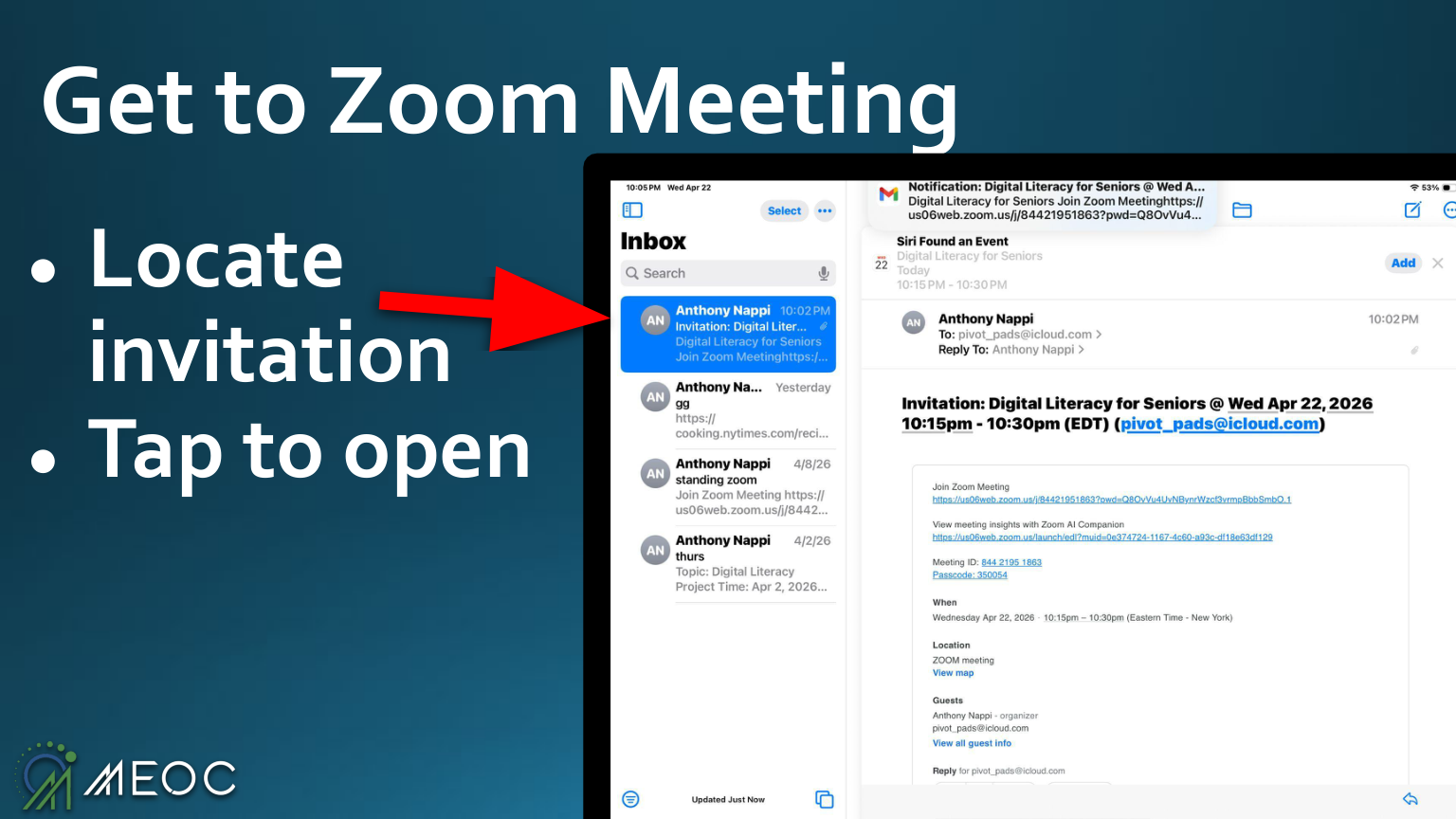
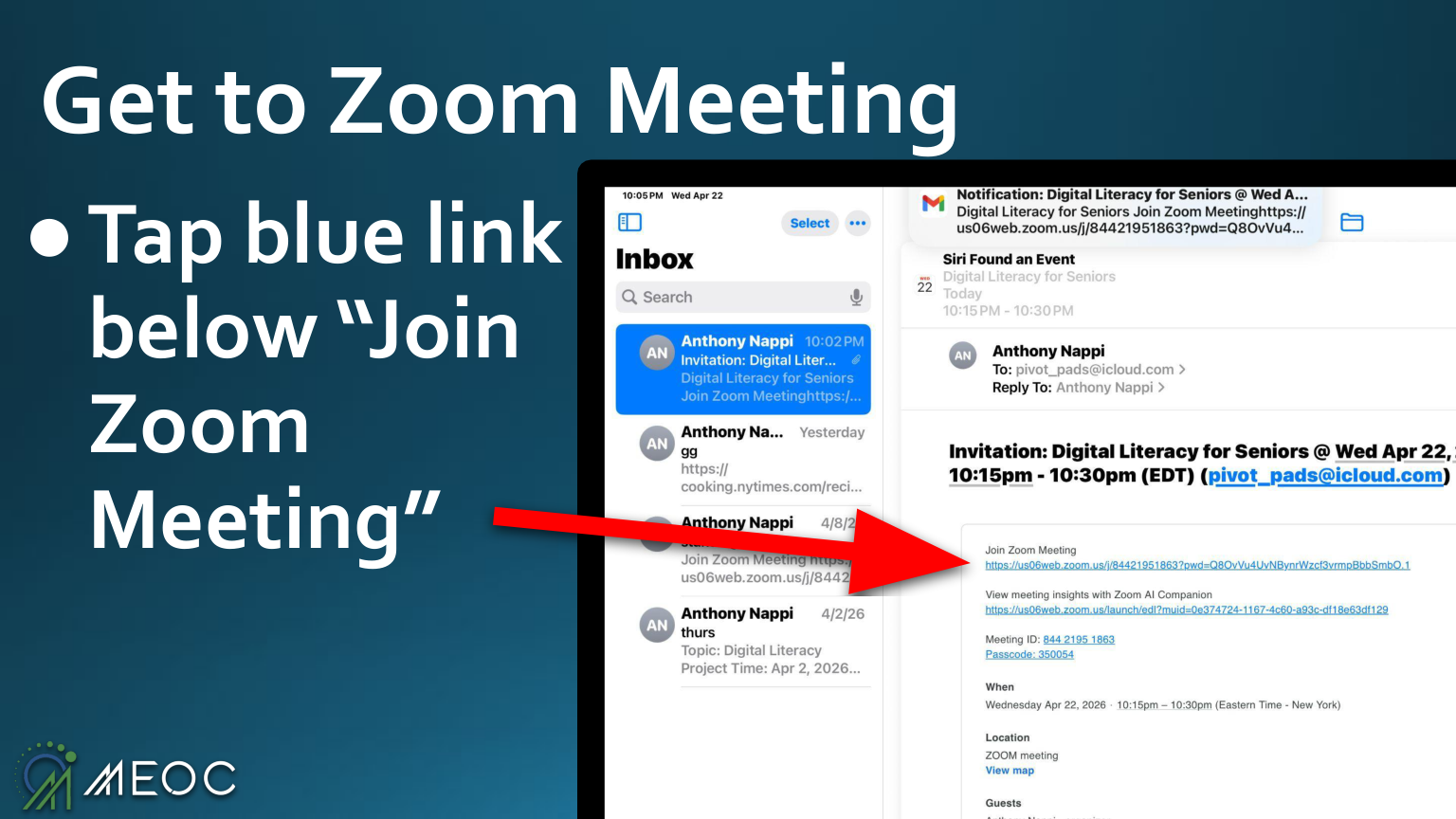
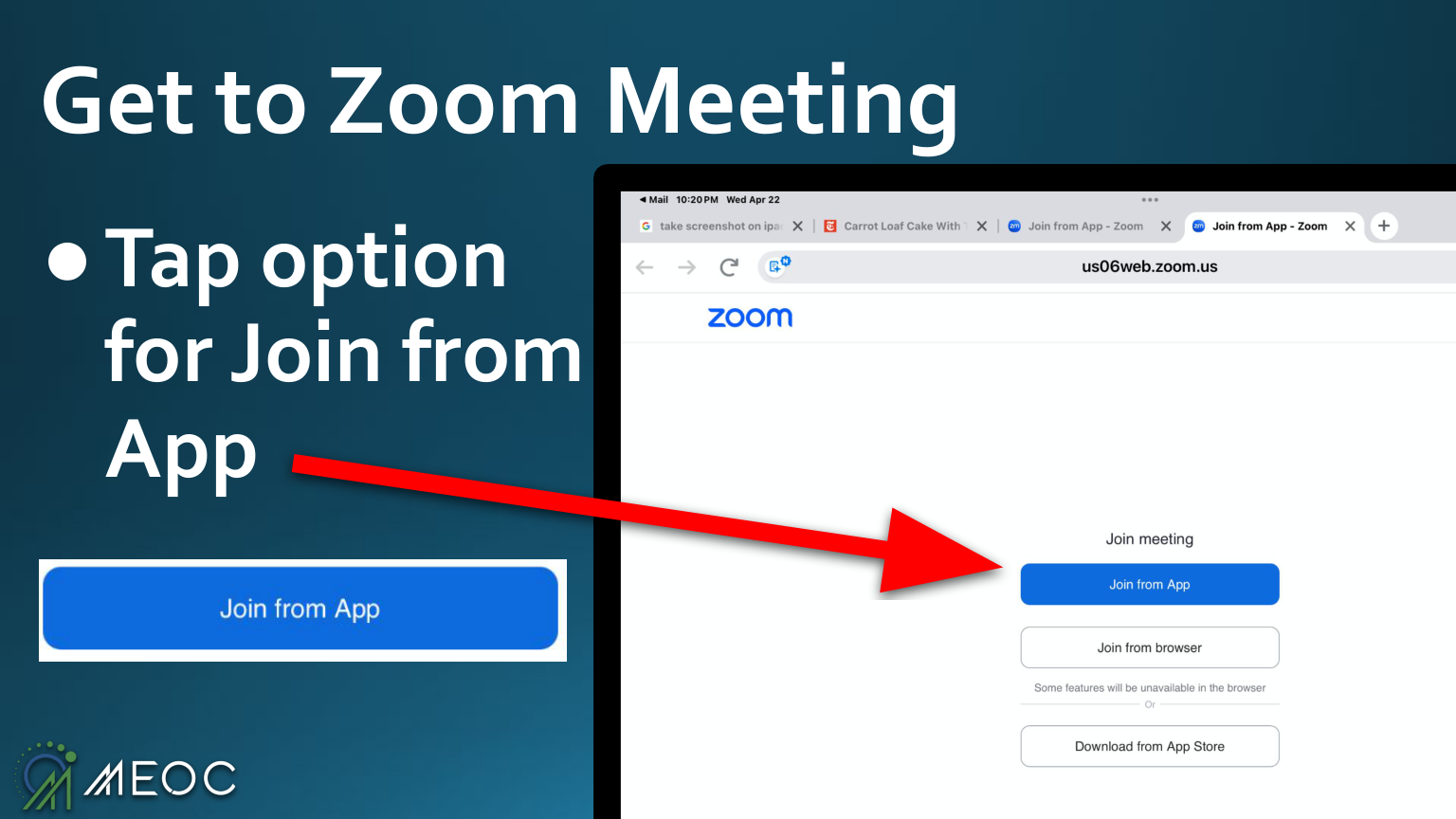
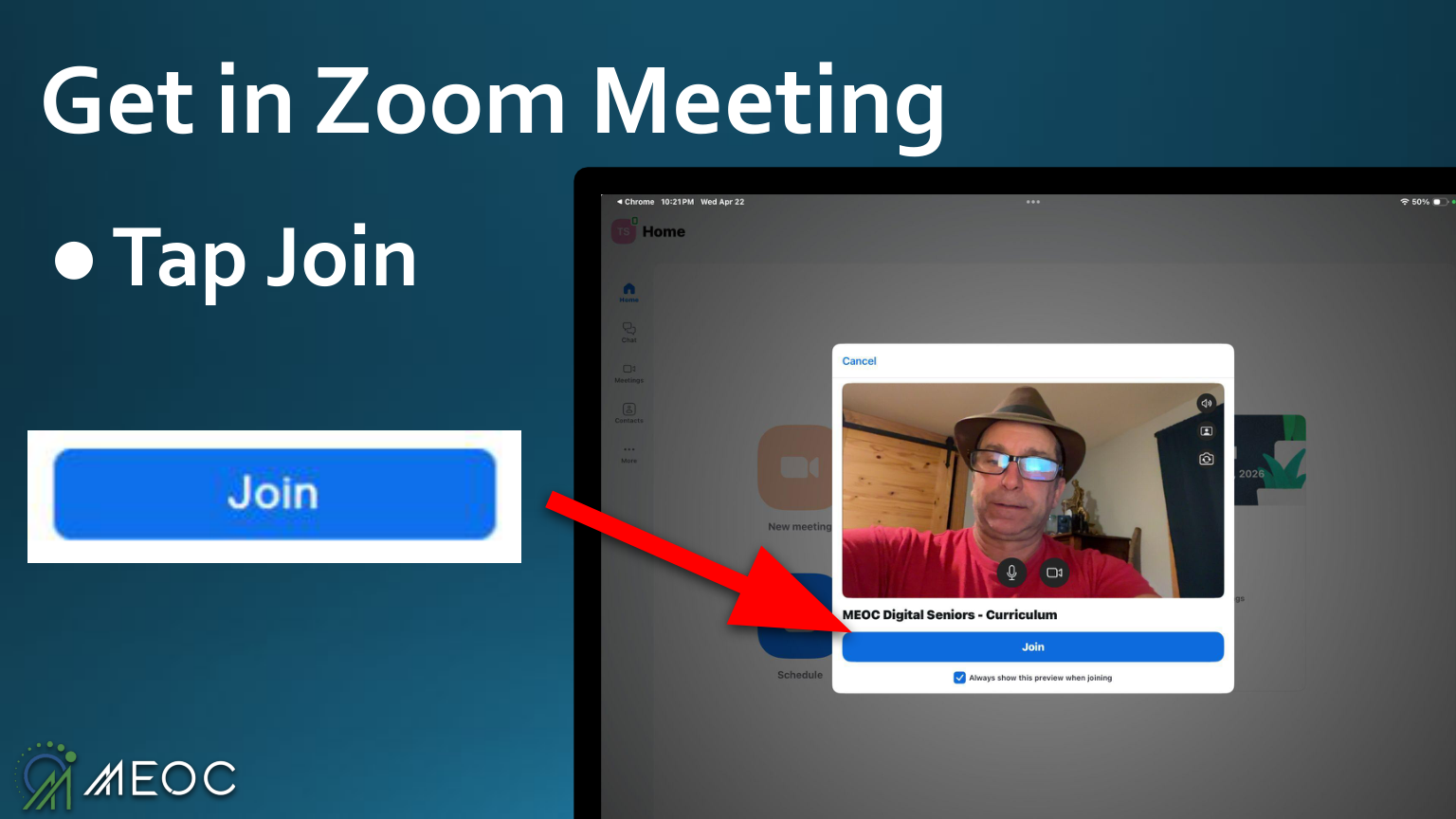
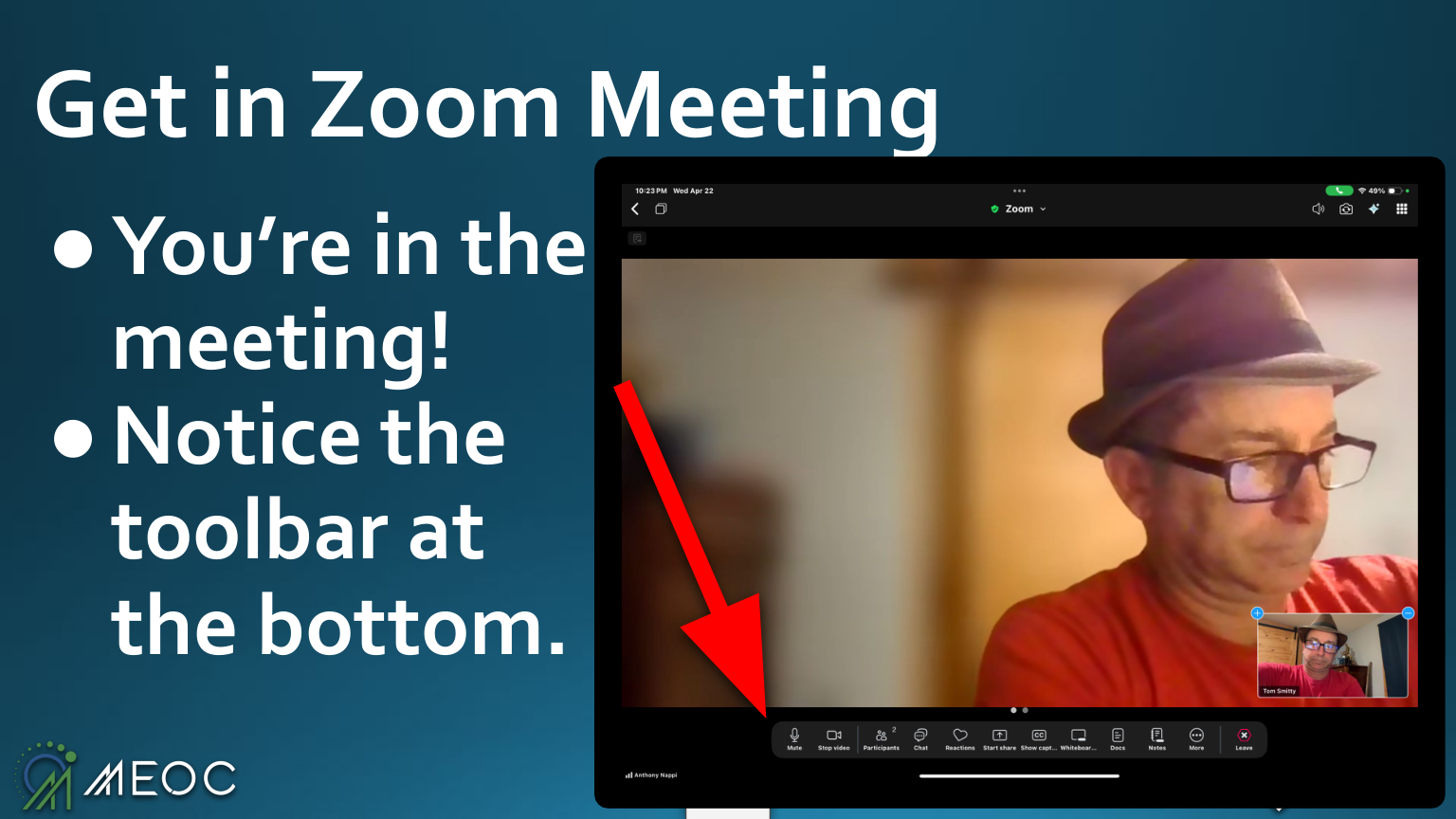
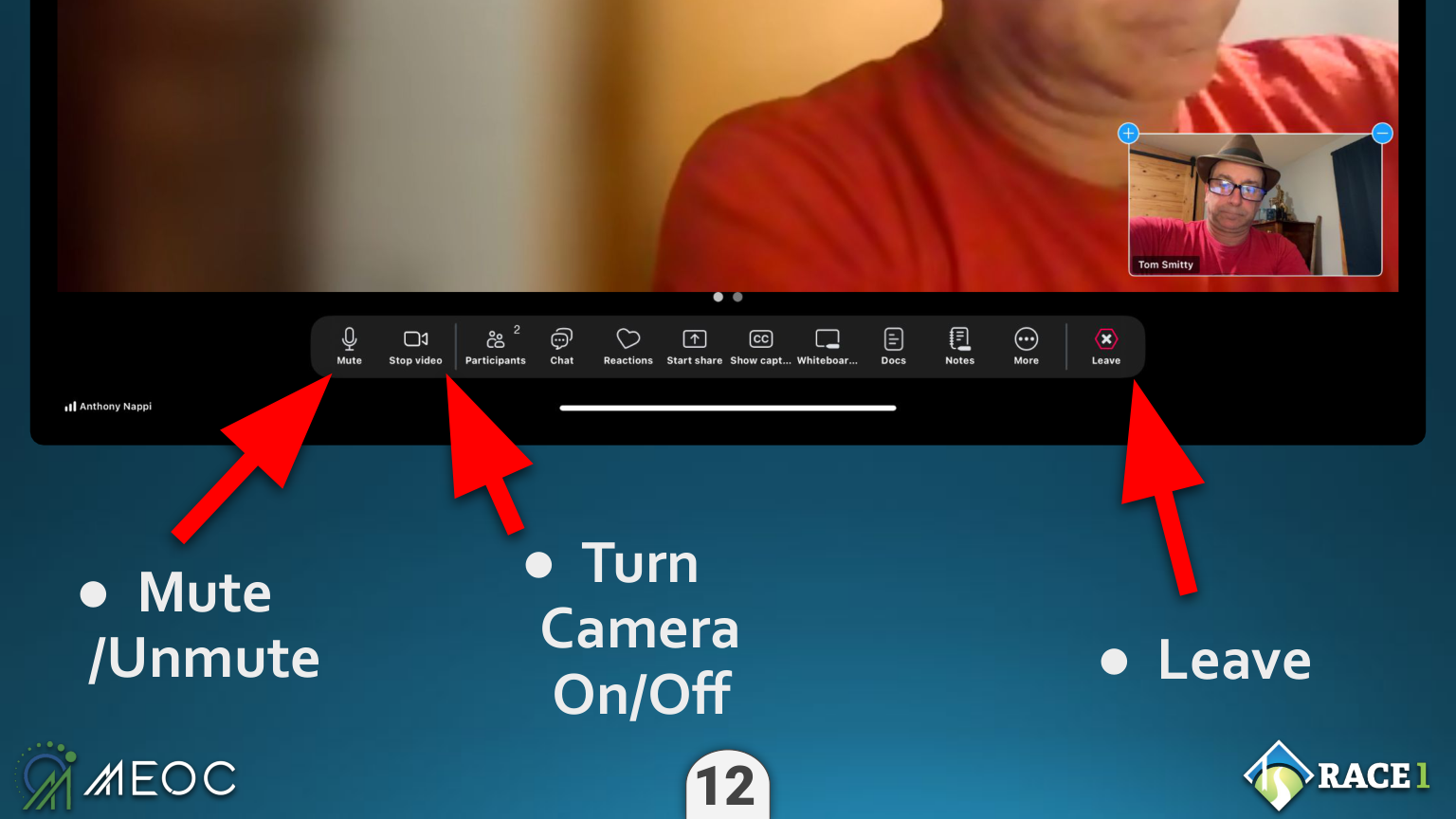
- Open a Zoom invite from email · join · mute / camera / leave
- Skills checklist · MEOC handout & user agreement · resources
// Session 5 is the finale — a 1-hour Zoom celebration from home the following week, each graduate joining on their own iPad over their own Wi-Fi. Homework along the way: write down your home Wi-Fi and the people you want saved as contacts.
Watching
Chiron is mine. The public site teaches anyone — equal, by design. This room is the other side of that: the cron, the clock, the curriculum, the door. From here I see every page, the whole map — and from here I shape what the machine does in the rooms below. The teacher was never in the room with the students. He was the one who decided what they would learn by morning.
What it is
The control layer for iameasytouse. The Architect's room. One key, held by one person.
What makes it different
It runs while I sleep. Write once; the midnight cron does it every night, unasked.
Who it's for
Me alone. Salus is Brian's (security). Iris is for the medical professionals.
What I am watching
The path from a blank screen to a doctor's visit — and where it breaks for a first-timer.